Manually enter the Ship To address or click
Search A/R Ship To:
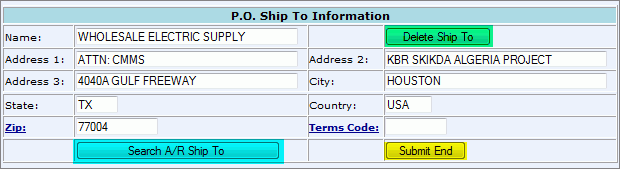
Click Submit End.
Submit Ship To Button
To Change Ship To Address:
Manually enter the Ship To address or click
Search A/R Ship To:
Click Submit End.
*Ship To address may also be designated when the release is created.
*This new address becomes default for this PO. To delete this Ship To address, the user must edit the PO Header, select the Submit Ship To button again, and click the Delete Ship To button (highlighted in green).
For Whole Process Flow See: Process: New Purchase Order.